
25. Choosing an MDVR for a Truck Fleet: Channels, Retention, Temperature
A single truck can be specified with a brochure. A fleet cannot. Forty vehicles of four types, one spare policy and one maintenance team will decide more about the recorder than any datasheet — and the three numbers that carry that decision are channels, retention and temperature.

Key takeaways
- Count zones per vehicle type, not cameras per bundle — a 12 t rigid needs 5–6 channels, an artic with a trailer camera needs 7–8.
- One 1080P channel at 2 Mbit/s in H.265 writes about 0.9 GB an hour; six channels over 12 hours is 65 GB a day.
- Fourteen days on a six-channel truck is about 0.91 TB; thirty days needs about 1.95 TB.
- Ask for the operating temperature separately from the storage figure, and confirm the recorder closes its file on ignition off.
One recorder model, several vehicle types

The cheapest fleet to run is usually the one with a single recorder model. One spare on the shelf covers every vehicle, one firmware version has to be tested, and a technician who has opened one unit has opened them all.
That does not mean one channel count. The same recorder can be bought in 4, 6 and 8 channel versions — the MDVR range covers all three — but the cameras around each vehicle type are different, and the count has to come from the zones that matter on that vehicle.
| Vehicle type | Zones that carry risk | Channels |
|---|---|---|
| 12 t rigid, city distribution | Front, nearside, offside, rear, cargo door | 5–6 |
| Artic tractor unit | Front, nearside, offside, rear coupling, driver | 6 |
| Artic with trailer camera | As above plus trailer rear | 7–8 |
| Tipper or mixer | Front, nearside, offside, rear, drum or body | 6 |
| Tanker | Front, nearside, offside, rear, rear-quarter, pump bay | 6–8 |
Count zones, not cameras. A fleet that starts from "eight cameras" ends up with two channels on the same seat row and nothing on the rear quarter. A fleet that starts from the zone map gets a channel count it can defend to the insurer and to its own drivers.
Leave one channel spare on every vehicle. It costs less than a second recorder model when a vehicle comes back from the body builder with one more blind spot than the drawing showed.
Retention is a storage calculation, not a policy statement
Retention is usually set by company policy or by a customer contract rather than by a product feature, so decide the number of days first and let it size the storage. A recorder "supports 30 days" only at the bitrate and channel count it was quoted with.
The arithmetic is short. One 1080P channel at 2 Mbit/s in H.265 writes about 0.9 GB an hour. Six channels write 5.4 GB an hour, and a truck running 12 hours a day writes about 65 GB a day.
| Configuration | Per day | 7 days | 14 days | 30 days |
|---|---|---|---|---|
| 6 channels, 12 h/day | 65 GB | 0.46 TB | 0.91 TB | 1.95 TB |
| 8 channels, 16 h/day | 115 GB | 0.81 TB | 1.61 TB | 3.46 TB |
Two conclusions follow. A 1 TB drive covers a six-channel truck at 14 days and does not cover it at 30. And an eight-channel truck running double shifts needs a 2 TB drive or two mirrored cards, whichever the recorder supports — an eight-channel unit such as the MDVR-708C is where that difference shows.
Check that the recorder sustains the bitrate rather than merely quoting it. A unit that advertises eight channels at 1080P but drops to a lower bitrate when all eight are recording is a different product from the one in the table — and the difference only shows up when somebody needs a readable plate.
Temperature: the cab is the harshest place on the truck
A recorder is usually fitted under the dash or behind a panel, close to the windscreen. In summer that space is hotter than the outside air and much hotter than the cargo area, and it stays hot after the engine stops.
- Ask for the operating range, not the storage range. A unit rated to 70 °C storage may still stop recording at 60 °C in the cab.
- Mount away from the heater matrix and out of direct sun. A 10 °C reduction in working temperature is worth more than any heatsink on the case.
- Leave the vents clear. Recorders are often buried behind trim by an installer who wants a tidy finish; that is where thermal shutdowns come from.
- Expect the drive to be the first casualty. A hard drive that runs at the top of its range every day will fail earlier than one with airflow.
In a fleet, temperature failures arrive as a pattern rather than an event: the same model, the same mounting position, the same month. If two trucks from the same batch lose footage in July, the mounting position is the first thing to check.
Power: a 24 V supply that is never clean
Truck electrical systems are not bench supplies. Cranking pulls the rail down, a large load switching off pushes it up, and a jump start can put a spike through anything connected to the battery.
Specify a recorder with an 8–36 V input, reverse-polarity protection and transient suppression. A 12–24 V unit that assumes a clean supply is the wrong part for a truck, even when the nominal voltage matches.
The second requirement is a clean shutdown. A recorder needs both a permanent live and an ignition line: the ignition tells it to start, and the permanent live gives it time to close the file after the key goes off. An internal battery or supercapacitor that holds the unit up for 10–30 seconds is what stops the last file being corrupt.
This is also where the wiring mistake that kills monitors comes from — shared conductors and a common ground. The monitor wiring article covers that failure in detail.
The fleet decisions that cost more than the recorder
Once channels, storage and temperature are settled, three fleet-level choices decide the total cost. None of them appears on a datasheet.
| Decision | What it changes | What to ask |
|---|---|---|
| One model or two | Spares, firmware testing, technician training | Can one model cover the 4, 6 and 8 channel vehicles? |
| Remote download | Data cost and review time | How many clips a month, and how large is a five-minute clip? |
| Event triggers | How long a review takes | Door, reverse, G-sensor and panic inputs — are they wired? |
Remote download is the one that surprises fleets. A five-minute clip at 2 Mbit/s is about 75 MB; a hundred downloads a month is roughly 7.5 GB of mobile data before any overhead. That is manageable, but it is a budget line, and it is the reason some fleets download only on Wi-Fi at the depot.
Event triggers are the cheaper win. Wiring the reverse lamp and the door switch into the recorder turns a 12-hour file into a list of events, and it costs an input rather than a subscription.
A specification you can send to three suppliers
| Item | Specify |
|---|---|
| Channels | 4 / 6 / 8 per vehicle type, one spare on each |
| Resolution and codec | 1080P per channel, H.265, sustained bitrate stated |
| Storage | Drive or card sized from the retention table, not from the box |
| Retention | 7 / 14 / 30 days, stated as a fleet policy |
| Operating temperature | Stated separately from storage temperature |
| Power | 8–36 V input, reverse polarity, transient protection, clean shutdown |
| Inputs | Ignition, reverse, door, G-sensor, panic |
| Connectivity | GPS and 4G only if the fleet will actually use remote review |
| Mounting | Under-dash position with airflow, away from the heater matrix |
The MDVR buying guide works through the single-vehicle version of this list — SD versus hard drive, H.264 versus H.265 and the storage example — if the fleet decision has already been made.
Before you place the fleet order
- Draw the zone map for each vehicle type and count channels from it, not from a camera bundle.
- Write the retention number down before choosing storage, then check the table at the real daily running hours.
- Ask for the operating temperature in writing, separate from the storage figure.
- Confirm the shutdown behaviour by pulling the ignition on a demo unit and checking the last file plays.
- Test one vehicle of each type for a month before the fleet order, and review the footage at the far end of the retention window rather than day one.
- Count the clips the fleet actually downloads for a month, then size the data plan.
- Check that one spare covers every vehicle type in the fleet, including the 8-channel ones.
Frequently asked questions
How many channels does a truck MDVR need?
Count the zones rather than the cameras. A 12 t rigid with front, two sides, rear and a cargo door needs five or six; an artic tractor with a driver camera needs six, and seven or eight with a trailer camera. Leave one channel spare on each vehicle so a later blind spot does not force a second recorder model.
How much storage do I need for 14 days?
At 2 Mbit/s per 1080P channel in H.265, each camera writes about 0.9 GB an hour. Six channels running 12 hours a day write 65 GB a day, so 14 days is about 0.91 TB. Eight channels running 16 hours a day write 115 GB a day, which is 1.61 TB for the same period.
Why does an MDVR stop recording in summer?
Usually because it is mounted under the dash near the windscreen with no airflow, and the operating temperature is lower than the storage temperature on the datasheet. Ask for the operating range in writing, mount away from the heater matrix and keep the vents clear — a 10 °C drop in working temperature matters more than a heatsink.
Do I need 4G on every truck?
Only if the fleet will actually review footage remotely. A five-minute clip at 2 Mbit/s is about 75 MB, so a hundred downloads a month is roughly 7.5 GB before overhead. Many fleets fit 4G only to long-haul vehicles and download at the depot over Wi-Fi for the rest.
Related articles
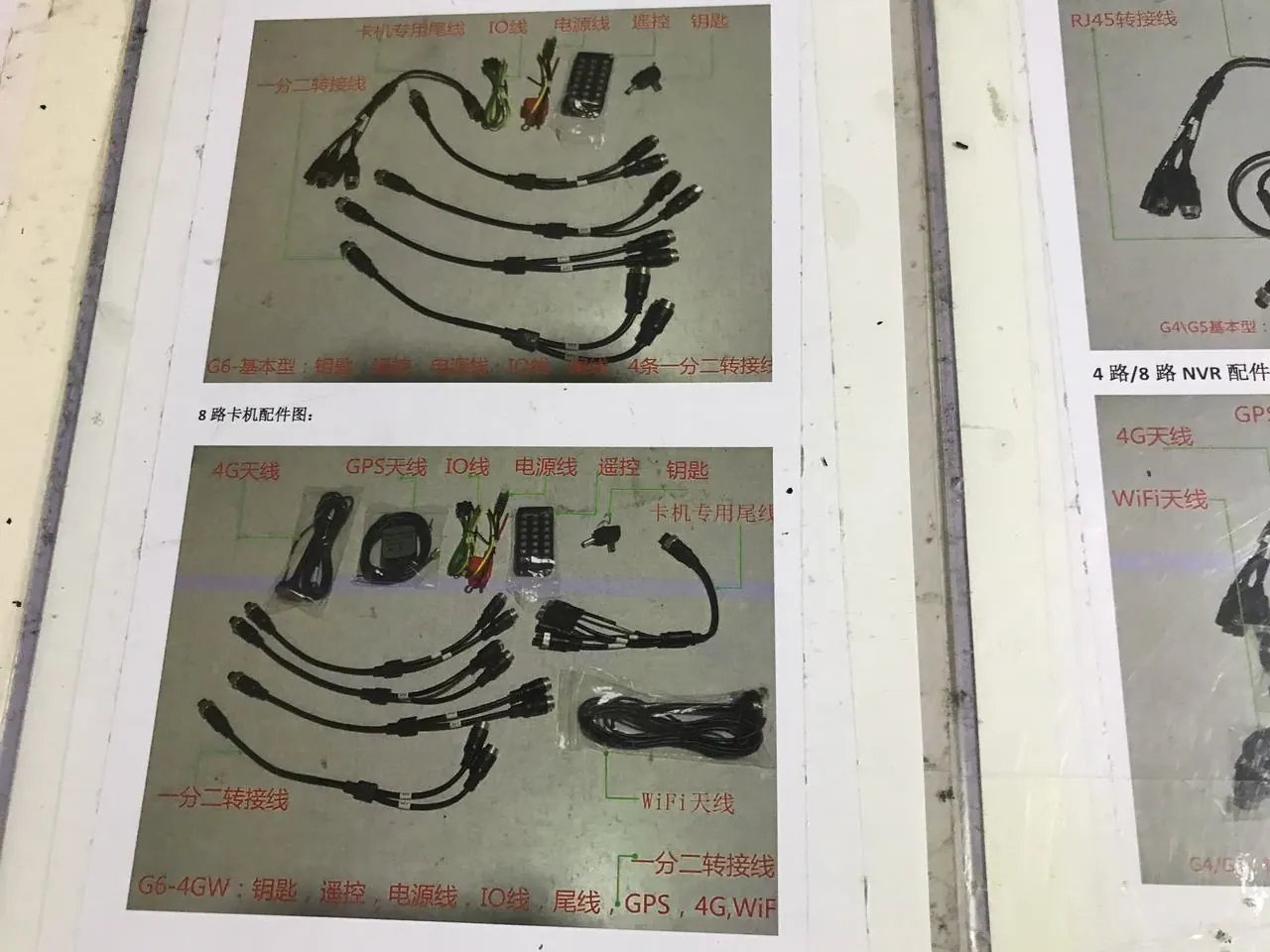
12. MDVR Buying Guide: How to Specify a Mobile DVR
How to choose a mobile DVR: channel count, SD versus hard drive, H.264 versus H.265, GPS and 4G, temperature ratings, UPS power and how much footage to keep.
Read guide 5 min read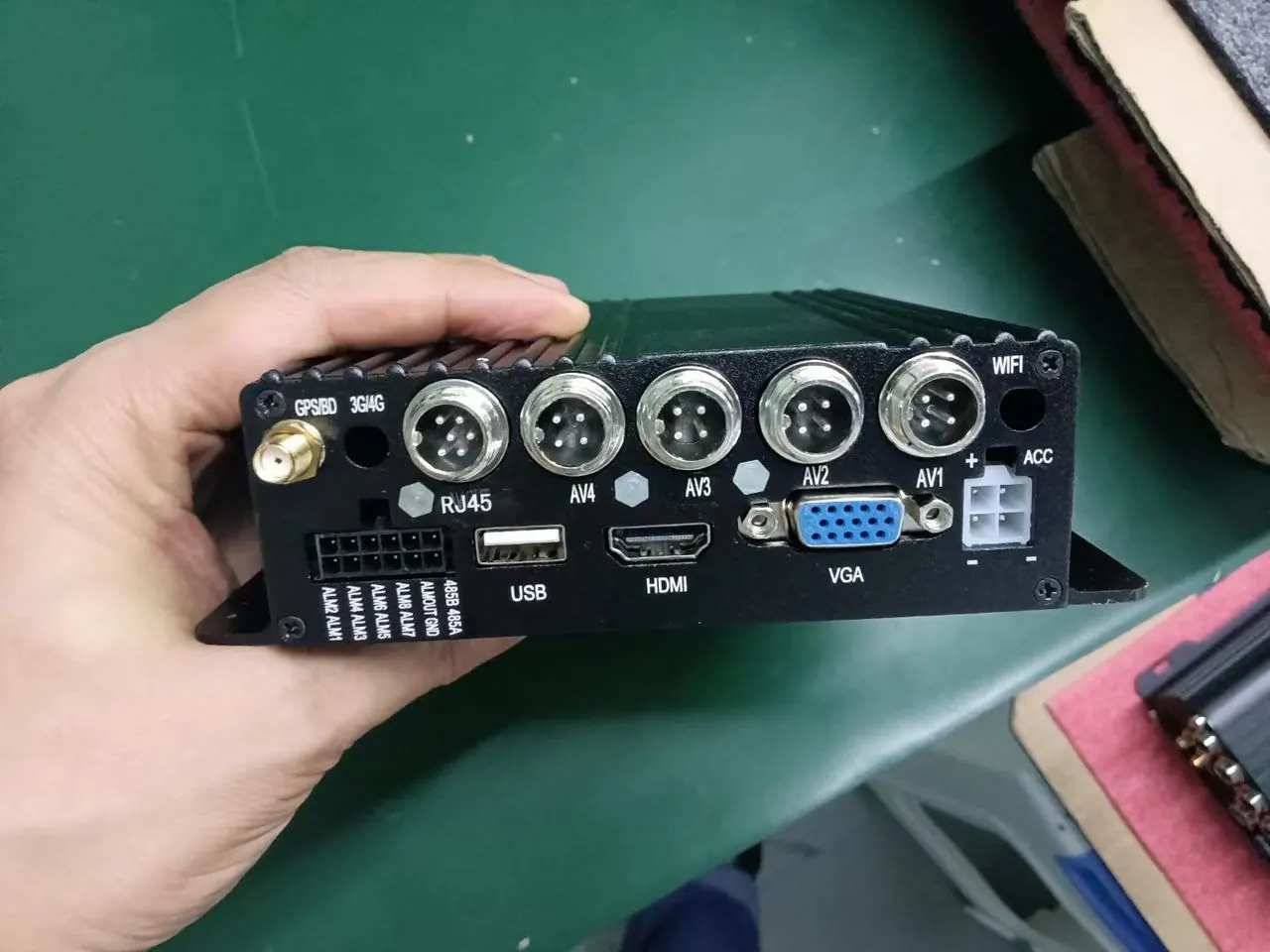
13. The Wiring Mistake That Kills Monitors in MDVR Installations — And the Zero-Cost Fix
Why monitors fail months after an MDVR installation: power feed through the shared aviation cable, and the wiring change that isolates the two.
Read guide 8 min read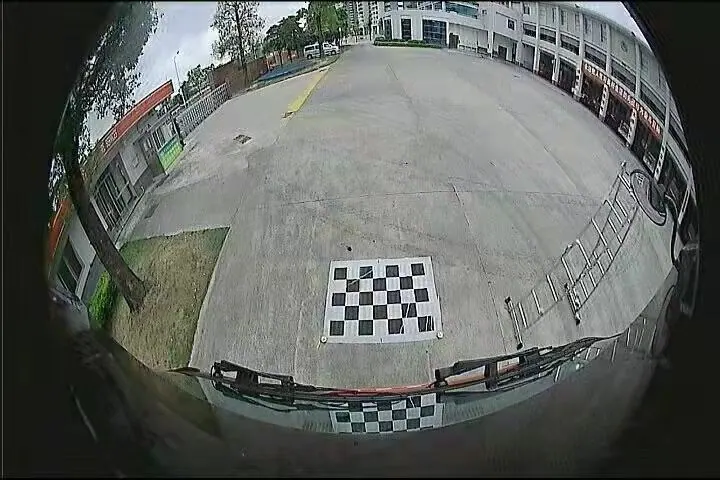
11. 25, 30, 50 or 60 fps: What Actually Limits a Vehicle Camera’s Frame Rate
Why a camera that can run at 60 fps ships at 25, what the analogue and processor limits are, and how to check a frame rate claim.
Read guide 8 min readLooking for a reliable camera system supplier?
Tell us your vehicle type and application — we will recommend the right system and quote within 24 hours. Distributors and OEM/ODM projects welcome.